
The Ultimate Guide to Meeting Room Booking Systems: Features, Benefits, and Implementation
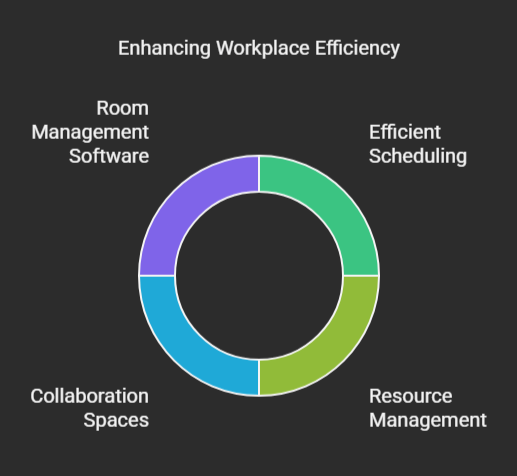
Okay, admit it, we’ve all been there. You’re power-walking to a meeting that’s been on the calendar for weeks, only to find someone else is already in the room. Whiteboard covered in their brainstorming, maybe even a mildly hostile vibe in the air. Double-booking strikes again! It’s way too common, and it’s a time-suck that throws everyone off their game. But in today’s workplace – especially with so many of us doing the hybrid thing – these scheduling fails just don’t cut it anymore. A good meeting room booking system? It’s not a “nice to have” perk; it’s flat-out essential if you want a smooth, productive office where everyone’s time is valued. Think of it as the ultimate workplace solution for efficient scheduling and resource management.
What is a Meeting Room Booking System?
Basically, a meeting room booking system is a piece of software that takes all the stress out of reserving and managing your company’s meeting spaces. Think of it as a super-organized digital assistant dedicated to your conference rooms, huddle rooms, and training areas. Instead of relying on a chaotic blend of spreadsheets, frantic emails and rogue sticky notes, a solid booking system gives everyone a single spot to quickly find and grab rooms that are open. But it’s more than just tossing names on a calendar. These systems have real features to make sure you get the most out of your space, cut down on conflicts, and make meetings better overall. So that they can improve things such as creating collaboration spaces, and using things like room management software. Let’s dig a little deeper here:
Core Functionality
The main goal of any meeting room booking software is to make it dead-simple to snag a meeting space. Here’s how they do it:
- Real-Time Visibility: You can see instantly which rooms are free across the entire company.
- Needs-Based Selection: Filter rooms by size, tech (projector, video conferencing, etc.), or even location (close to the coffee!).
- Automatic Reminders: The system sends reminders to organizers and attendees, which = fewer people forgetting and less wasted room time.
- Easy Management: Change or cancel bookings with a few clicks, keeping everything up-to-date.
System Components
Don’t be fooled by the simple interface; a meeting room booking system is seriously impressive under the hood. Its goal is optimizing space utilization which ensures effective meeting scheduling.
- User Interface: The part everyone sees. It has to be easy for anyone to browse and book.
- Central Database: This is the brain of the operation, storing all the info about rooms, schedules, and who’s allowed to book what. Accurate that all your meeting space management is up-to-date. Data protection is also important.
- Hardware Integrations: Cool extras like digital displays outside the rooms showing the day’s schedule, or occupancy sensors that know if a room is actually being used (and cancels the booking if it’s empty after 15 minutes!).
Why Your Workplace Needs a Meeting Room Booking System
Let’s face it, speed matters in business. Time wasted hunting for rooms, dealing with scheduling messes, or sitting in meetings that are half-empty directly impacts your profits. A meeting room booking system isn’t just a handy tool; it’s a smart way to invest in making your company run better and empowering your employees. The upsides are huge! It helps with things such as hybrid meetings, and agile workspaces which both lead to an improved workplace environment.
Reduced Scheduling Conflicts
I dealt with a company years ago where squabbles over meeting rooms were a daily event. One time, the marketing folks and the sales team both thought they had dibs on the main conference room for major presentations – at the same time. Let’s just say the shouting match wasn’t pretty, and it messed up client meetings. Popping in a booking system fixed it instantly by giving everyone a single, unquestionable view of what was available.
Optimized Space Utilization
It’s crazy how much meeting room space companies waste without even realizing it. I once looked at a client’s meeting room data and saw almost half their rooms were consistently empty, or booked for one-on-one chats. We were able to turn those underused rooms into smaller huddle spaces which freed up floor space and slashed their real estate costs.
Increased Employee Productivity
Seriously, think about all the minutes employees burn searching for rooms, coordinating calendars, and fixing booking screw-ups. Studies actually prove this: Employees spend an average of 8 minutes each week just finding rooms (askcody.com). Sounds small, right? But that adds up to more than six hours per employee every year! A booking system automates this, giving people back valuable time to focus on actual work.
Improved Resource Management
There are so many helpful tools out there nowadays, like DeskFlex’s open-source calendar (deskflex.com), with features that help you dodge conflicts and plan ahead. Also things like great workspace planning (yarooms.com) and high-speed internet. Booking systems track usage, so you can plan better and create a better collaboration environment. All this leads to smarter resourcing.
Types of Meeting Room Booking Systems
Choosing the right system means thinking hard about what your company needs and what your tech setup looks like. Most systems do the same basic things, but they fall into two main categories: cloud-based and on-premise. The main difference? Where the software lives. Cloud systems use outside servers, while on-premise systems live on your servers. Let’s explore to better aid you in the goal of effective collaboration:
Cloud-Based Systems
Cloud-based systems make it incredibly easy to access things. Since the software lives on remote servers, you can get to it from any device with a web connection – phone, tablet, laptop, you name it. This is perfect for companies with remote staff, since everyone can book easily no matter where they are. Its also good to ensure that everything will integrate effectively with existing tools.
On-Premise Systems
On the other hand, on-premise systems are installed directly onto your company’s servers. This gives you way more control over security and customization. Large companies, especially those in industries with serious regulations, often prefer this level of control.
Key Features to Look for in a Meeting Room Booking System
Not all systems are created equal. While they might look the same, their features can vary widely. So, choose one that fits your company’s specific needs to get the most bang for your buck. Here are some essential features when it comes to the overall goal of improving team efficiency:
User-Friendly Interface
I’ve seen great systems fail just because they were clunky and frustrating to use. Imagine endless menus, confusing icons, and a layout that seems designed by someone who hates people. No one uses it, employees go back to the old ways, and the whole thing becomes a waste. Keep the interface simple to boost employee adoption rates.
Integration with Existing Tools
The best systems play well with the tools your team already uses daily. For example, if it connects with Microsoft Teams, you can launch video calls right from the booking system. Calendar integration with Outlook or Google Calendar makes sure bookings show up automatically on everyone’s schedule. The system should also “talk” to other software using APIs.
Reporting and Analytics
A good reporting dashboard lets you see how your meeting rooms are being used and find ways to improve. Monitor things like average room occupancy (how full?), peak times, and no-show rates (how much wasted space?). You can even add occupancy sensors to get real-time views of room usage. This helps in data driven decisions to maximise efficiencies.
Mobile Accessibility
I once had to book a last-minute meeting room while running to catch a train. I snagged a room near the station using the booking system’s app. Without mobile access, that meeting would have been such a hassle. Whether it’s an app or a mobile-friendly website, being able to book on the go is crucial for today’s workforce.
Implementation and Adoption Best Practices
Getting a new system is only half the challenge. You have to get your employees on board! A good plan to introduce the system and get people using it will massively boost user engagement and get you a higher return on your investment. It’s about much more than just installing software.
Training and Onboarding
I always say that good training is key. My approach mixes online lessons, in-person sessions, and ongoing support. Online lessons let people learn at their own speed whilst the in-person workshops let people get personalized advice, and ask questions.
Communication and Promotion
You’ll want to communicate effectively across all teams to make sure that everyone is aligned in the meeting booking system. Keep everyone in the loop, making clear email announcements, putting up eye-catching posters around the office, and internal blog posts that detail employee’s experiences. Also, encourage your staff from all departments to get on board, and become change advocates for the system and encourage others.
Feedback and Iteration
Adoption never ends, so continually seek user feedback and try to improve the system based on their opinions for long-term success. Surveys and feedback sessions are key to understanding both areas of success and improvement for the system. This demonstrates that you value all opinions, so that the system can continue to evolve over time.
The Future of Meeting Room Booking Systems
Booking systems are just going to get smarter. As tech keeps advancing, expect even more advanced and connected solutions. These systems will not only make booking easier, but they’ll also use new technologies to make better use of space, personalize the experience, and create intelligent meeting spaces. Say hello to proactive, data-driven meeting management!
AI-Powered Automation
Artificial intelligence (AI) is set to change these systems completely. What if a system could predict your room needs based on past data, suggest the perfect room size, and even change the lights and temperature depending on who’s attending? AI can automate reminders, and reschedule meetings if there are conflicts.
Smart Room Integration
Connecting booking systems with other smart room tech is creating super-smart workspaces. By introducing modern technology tools like those offered by Yarooms (yarooms.com), it will allow for a personalised and engaging experience.
Conclusion
Modern workplaces needs an effective meeting room booking system. By reducing scheduling conflicts, space utilization, and streamlining the processes involved, productivity increases which leads to higher satisfaction for employees.
Ready to transform your workplace and eliminate meeting room mayhem? Contact us today to learn how we can help you implement a meeting room booking system that meets your specific needs and sets your organization up for success.

